Scratch, played like a synth.

Scratch Synth is a VST3 plugin with a virtual turntable. Spin the platter with your mouse, cut the sound with keys and a crossfader, draw moves in the sequencer and record the result right inside the plugin.

Windows 10/11 · 64-bit · VST3 · Tested in FL Studio, Ableton Live, Reaper

01 / Platter

A turntable with a real motor

The platter behaves like the real thing: it has a motor, inertia and a brake. Set how fast it spins up and how it stops, and the scratch will feel like yours.

  • Speed, Inertia, Spin-up, Brakemotor speed, platter weight, spin-up after touch, and braking
  • Crossfader and Cut Keyhold the key or right-click the disc to cut the sound
  • Motor and Reverseswitch the motor on and spin the record backwards
  • Help built into the pluginthe “?” button walks you through every knob, step by step
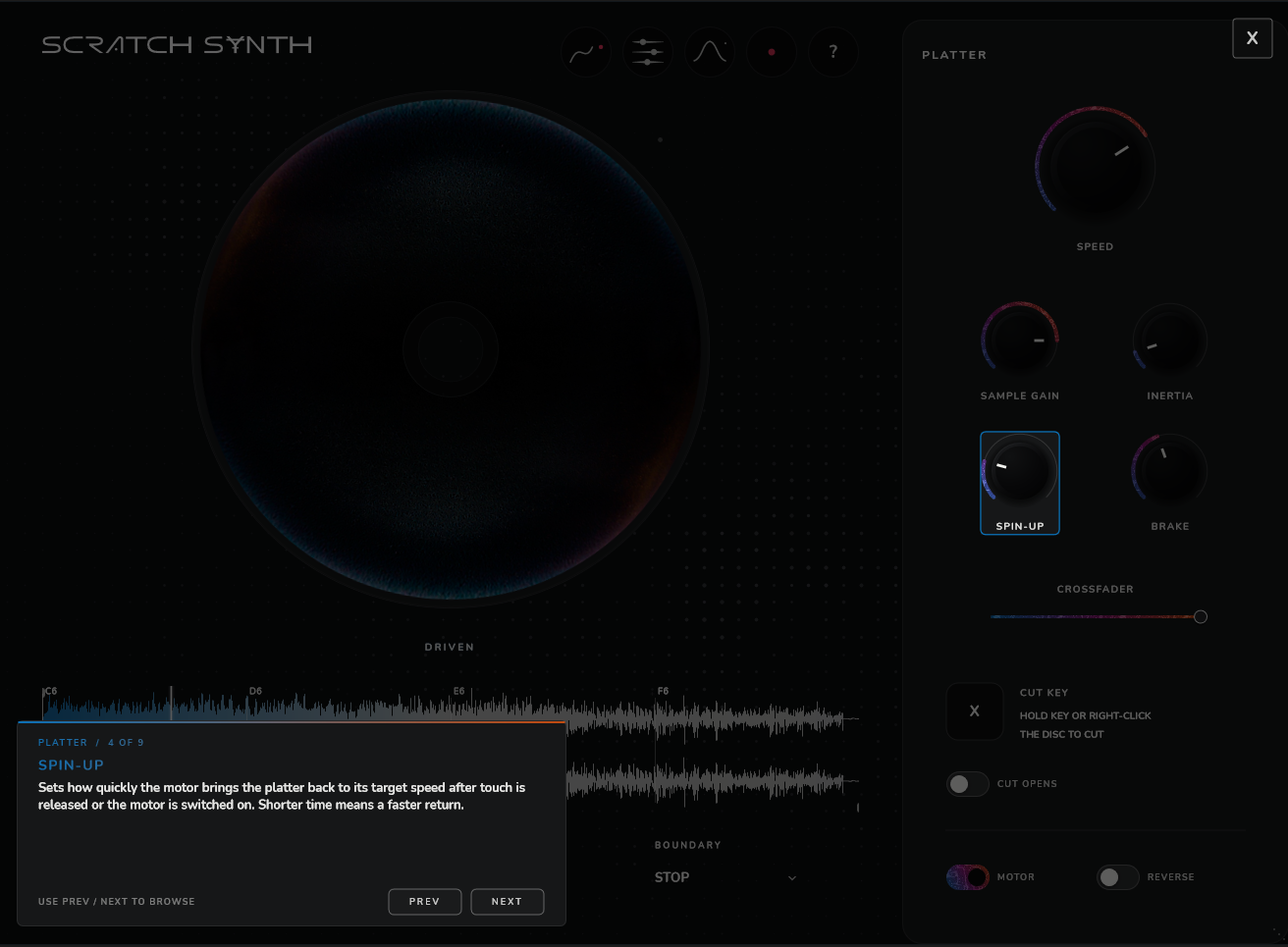
Platter panel and the plugin’s built-in help
02 / Performance

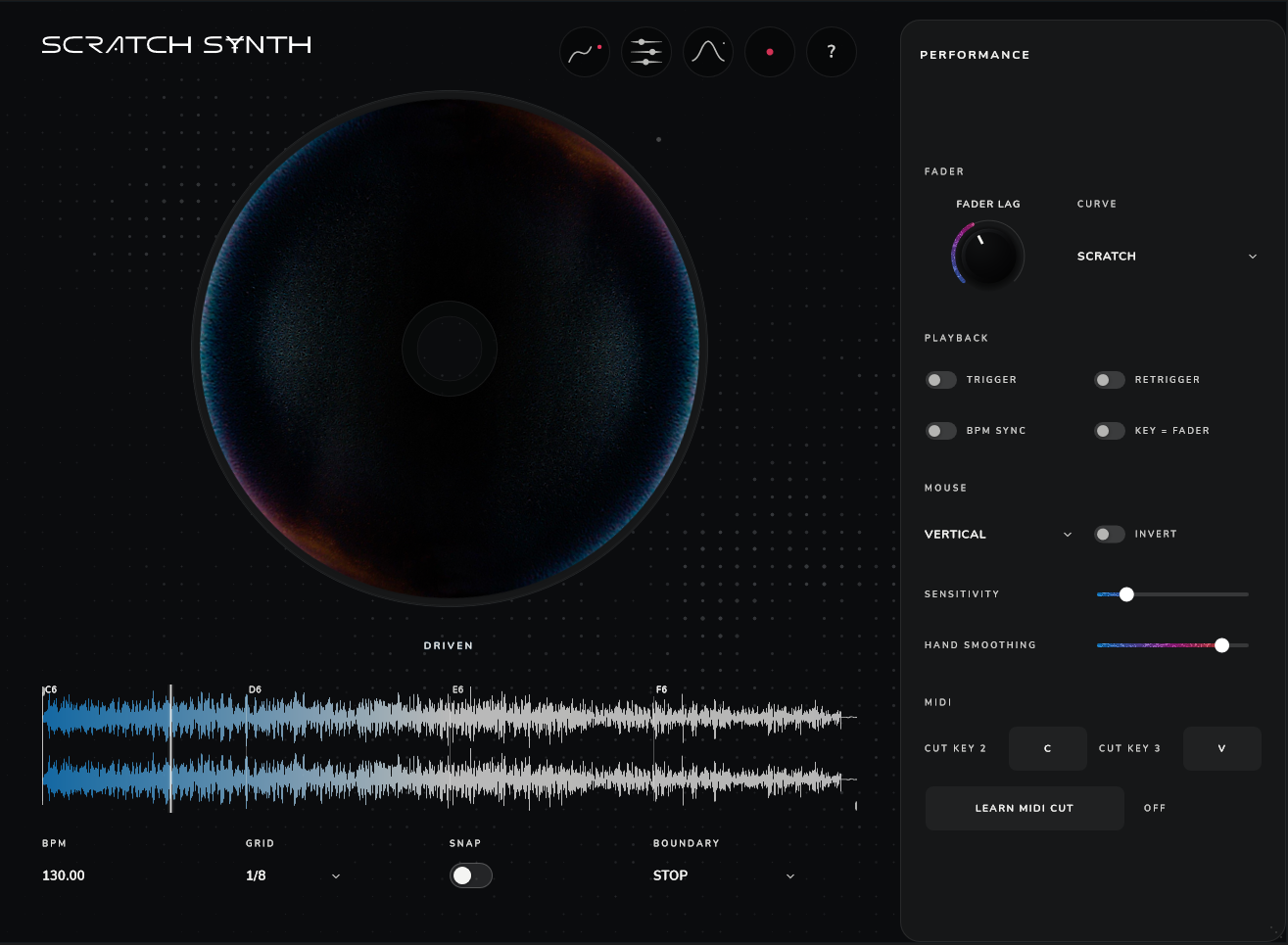
Play it with mouse, keys and MIDI

Drag the platter with the mouse, vertically or horizontally, and cut the sound with a key, a MIDI note or a fader curve. Smooth the motion exactly how you like it.

  • Fader Lag and fader curvesspeed and shape of the fade, such as the Scratch curve
  • Trigger, Retrigger, BPM Sync, Key = Faderplayback modes to match your playing style
  • Sensitivity and Hand Smoothingmouse sensitivity and hand smoothness, plus Invert
  • Learn MIDI Cutassign any MIDI note to the cut in one click
  • BPM, Grid, Snap, Boundarygrid snapping and how the sample behaves at its edges
Performance panel with all playing settings
03 / Sequencer

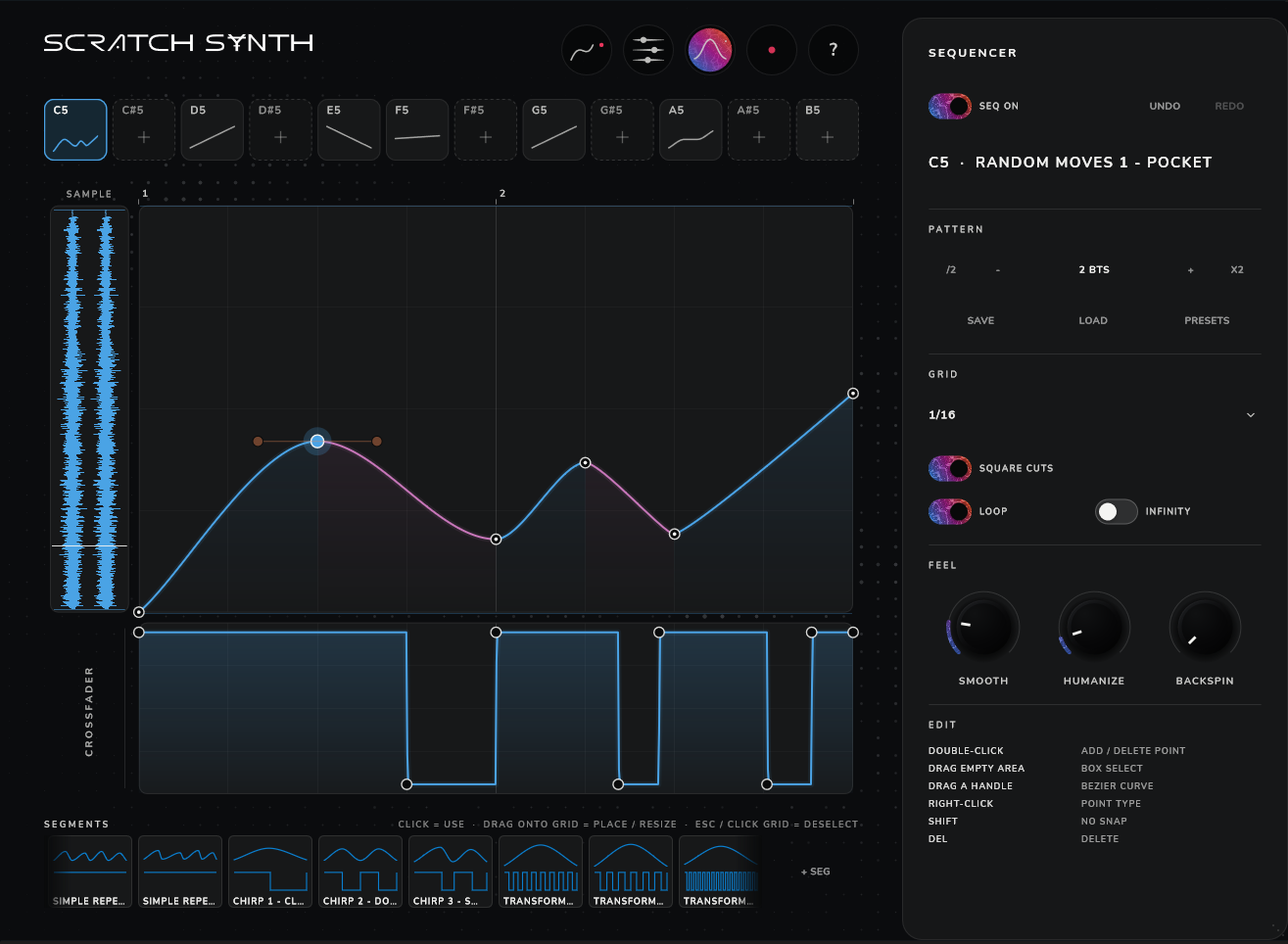
A sequencer where you draw the scratch

Every key gets its own pattern: a platter motion curve on top and a stepped crossfader below. Record platter movements straight into the pattern as a curve, then edit it by moving points and dragging Bézier handles. Build phrases from ready-made segments.

  • 12 slots, notes C5–B5play different patterns from your MIDI keyboard
  • Square Cuts, Loop, Infinityhard cuts, looping and endless playback
  • Smooth, Humanize, Backspinsmoothing, human imperfection and a backspin pull-back
  • Segment library and presetsdrag a segment onto the grid, save or load a pattern
Sequencer: platter curve and stepped crossfader
04 / Recorder

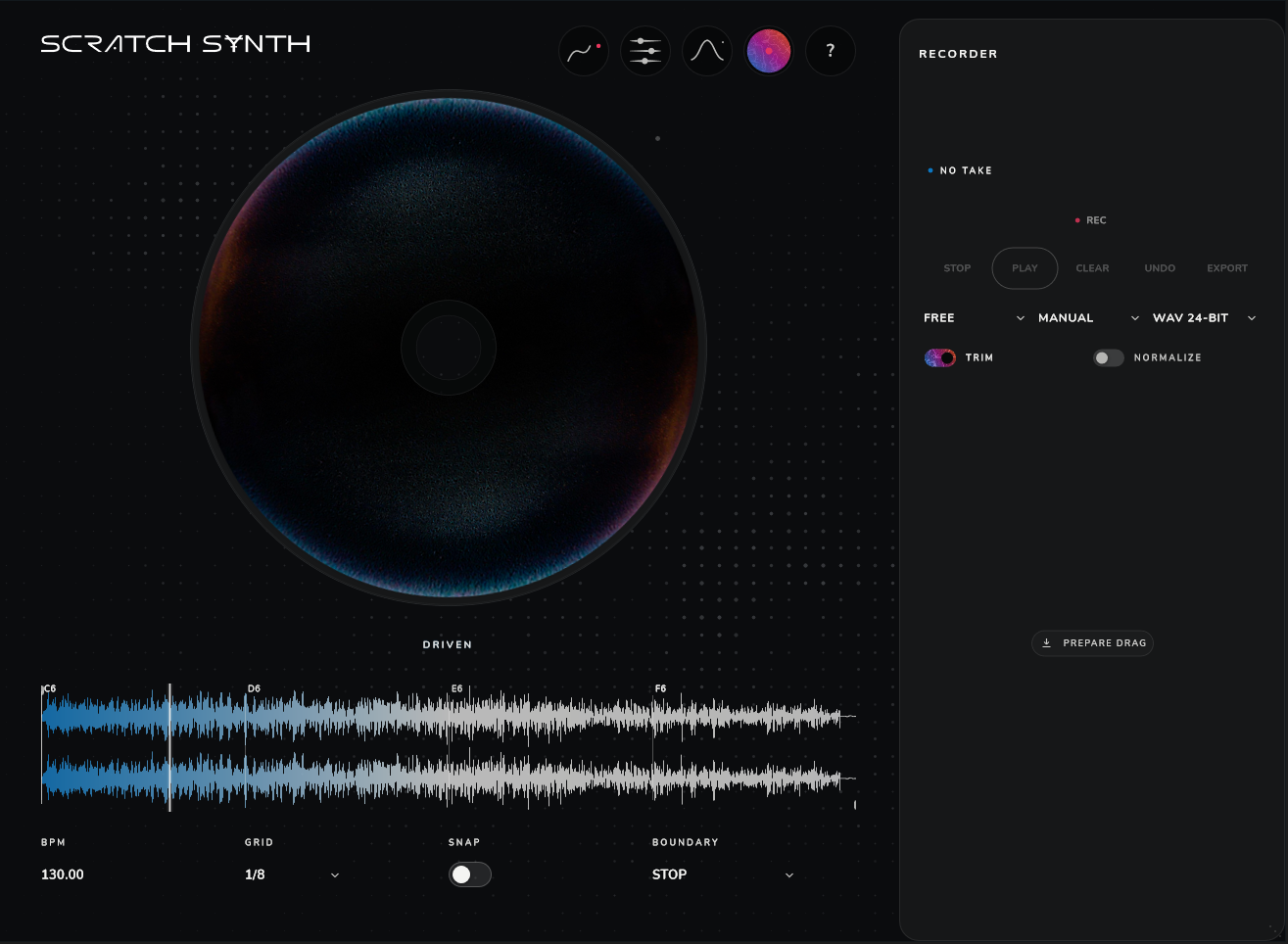
Record it, drag it into your project

Takes are recorded inside the plugin. Trim the silence, normalize and export to 24-bit WAV, or drag the finished file straight into a DAW track.

  • Rec, Play, Undo, Clearquick takes without leaving the plugin
  • Trim and Normalizeauto-trim silence and level the volume
  • Export and Prepare Dragsave a WAV or drag the take into your DAW
Recorder panel with record and export controls
Get started

Try Scratch Synth

Download the Windows demo and try the plugin in your own DAW. If you like it, the full version is waiting on Boosty.

Windows demo

VST3 plugin for Windows 10/11, 64-bit. The archive includes install instructions.

Download demo (.zip)

Full version

Support development and get the full plugin on Boosty.

Buy on Boosty
  1. Unzip the downloaded archive.
  2. Copy Scratch Synth Demo.vst3 to C:\Program Files\Common Files\VST3\
  3. Restart your DAW and rescan plugins.